> ## Documentation Index
> Fetch the complete documentation index at: https://docs.prosperavest.com/llms.txt
> Use this file to discover all available pages before exploring further.

# Generating Keys

This guide provides step-by-step instructions for generating your keys from your ProsperaVest Business Dashboard

<Steps>
  <Step title="Login to your business dashboard">
    [https://app.prosperavest.com](https://app.prosperavest.com/)
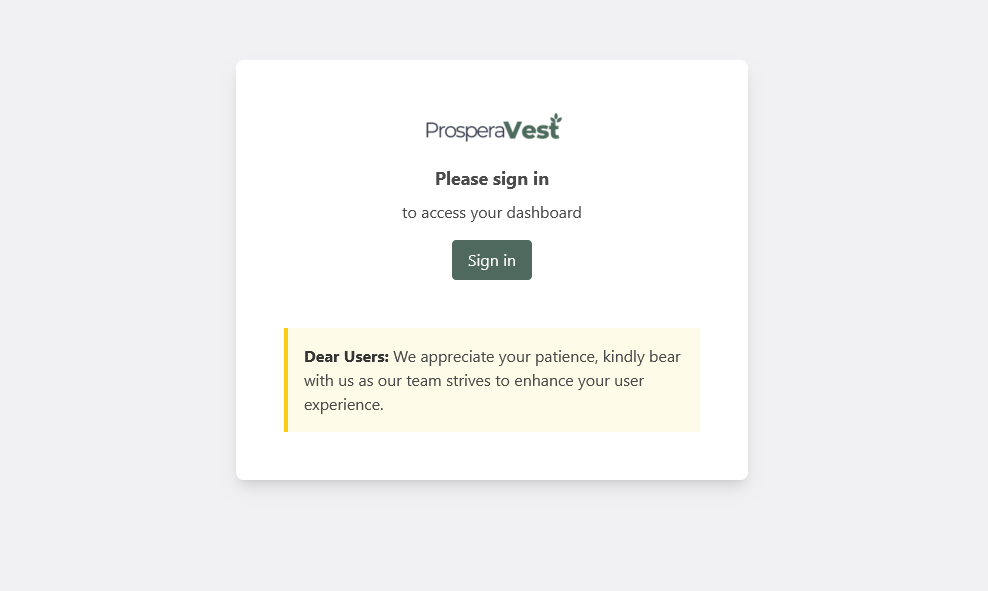
    <Frame caption="Make sure you're on https://app.prosperavest.com">
      <img src="https://mintcdn.com/ensc-business-api/ZWQ8NxyNrAugEWXZ/images/dashboard-login.png?fit=max&auto=format&n=ZWQ8NxyNrAugEWXZ&q=85&s=197b67ea8ed27cd6199d3be629f83102" alt="Make sure you're on https://app.prosperavest.com" width="988" height="591" data-path="images/dashboard-login.png" />
    </Frame>
  </Step>

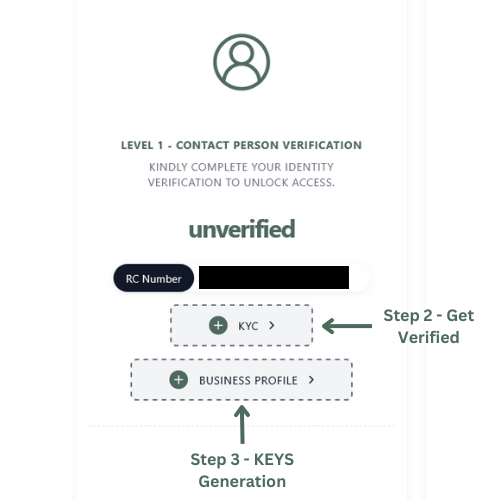
  <Step title="Scroll down and complete your Level 1 Company Representative KYC to get verified.">
    <Frame caption="Please have ready your Government ID (Soft and Hard Copy), Be sure to stay in a secured environment + well-lit area as you'd be asked some sensitive questions and required to perform a liveness check.">
      <img src="https://mintcdn.com/ensc-business-api/ZWQ8NxyNrAugEWXZ/images/level-1-kyc.png?fit=max&auto=format&n=ZWQ8NxyNrAugEWXZ&q=85&s=c87f148c4ab3304d5fa273cb1f2bf2e4" alt="Please have ready your Government ID (Soft and Hard Copy), Be sure to stay in a secured environment + well-lit area as you'd be asked some sensitive questions and required to perform a liveness check." width="500" height="500" data-path="images/level-1-kyc.png" />
    </Frame>
  </Step>

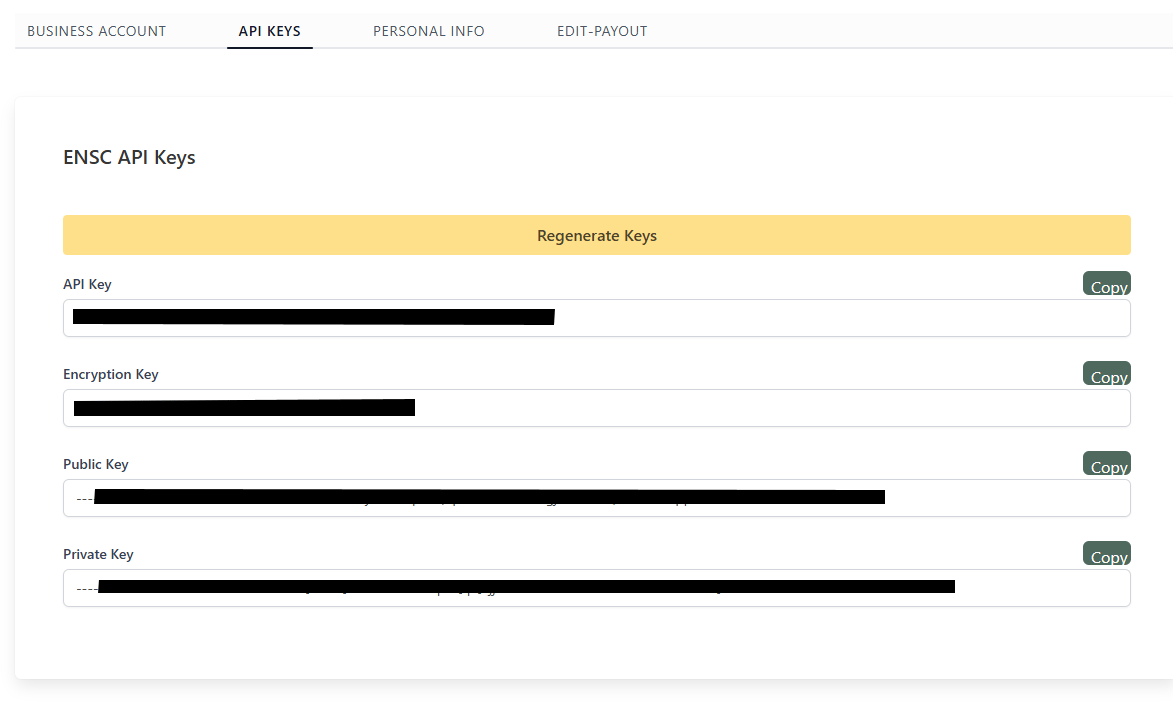
  <Step title="After getting a verified badge, head over to your business profile. From the tabs select API KEYS and click the generate keys button.">
    <Frame caption="Business Profile">
      <img src="https://mintcdn.com/ensc-business-api/ZWQ8NxyNrAugEWXZ/images/business-profile-api-keys.png?fit=max&auto=format&n=ZWQ8NxyNrAugEWXZ&q=85&s=f7465a0e36a6a8d81854144cd663bbe5" alt="Business Profile" width="1173" height="704" data-path="images/business-profile-api-keys.png" />
    </Frame>
  </Step>

  <Step title="Your keys are highly confidential, store them in secure locations (recommended - environment variables and offline backups )">
    You can always regenerate keys from your business profile, It is highly recommended to rotate your keys by regenerating them at intervals.
  </Step>
</Steps>

<Danger>
  Make sure to effect the changes where applicable as once regenerated old keys are destroyed immediately rendering them invalid.
</Danger>